
Why is my Shopify store not converting? Often because shoppers hit a specific problem somewhere between the first screen and the payment step: a shipping cost they can’t find, a size that’s hard to pick on a phone, a price that isn’t clear, a cart that slows them down. It’s rarely one big thing. Below are ten causes to check yourself, in the order a shopper meets them.
First, find where shoppers leave
“Not converting” is the symptom. Before you change anything, find the step where people drop off.
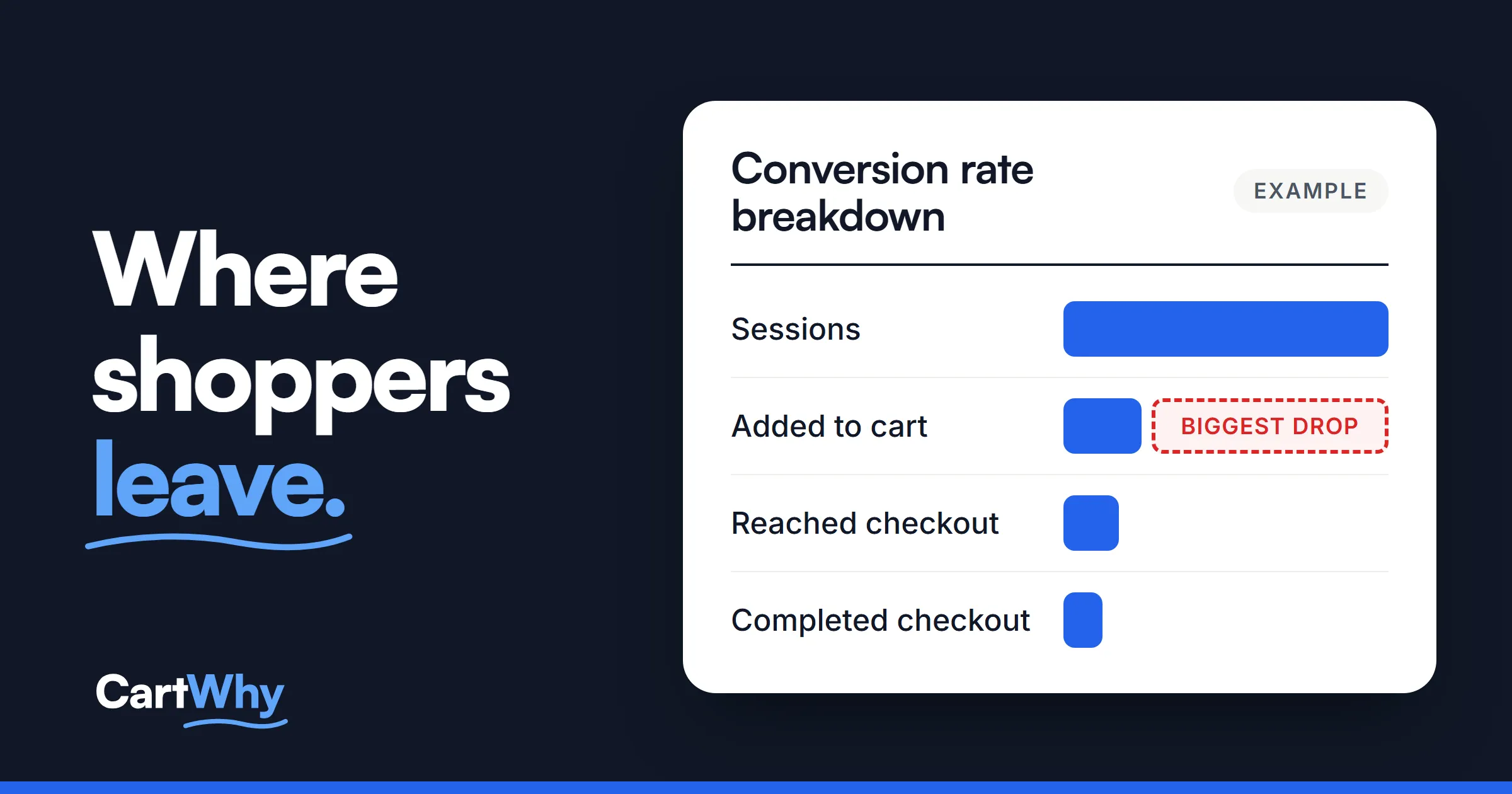
In your Shopify admin, go to Analytics, then Reports, filter the list by the Behavior category and open Conversion rate breakdown. It shows four steps: all sessions, sessions with items added to the cart, sessions that reached checkout, and sessions that completed checkout.
The report has an open funnel setting. Open counts sessions that did a step in any order; closed counts only sessions that went through every step in order. Note which one you’re reading. Either way, the biggest drop tells you where to look first:
| Where the biggest drop is | Look first at |
|---|---|
| Few sessions add to cart | The first screen, finding products, the product page (causes 1–7) |
| Many add to cart, few reach checkout | The cart (cause 8) |
| Many reach checkout, few complete it | Shipping cost, checkout settings, trust (causes 4, 9, 10) |
The report shows where. It doesn’t show why. For that, open your store on your own phone, in a private window, and shop it like a stranger.
Why is my Shopify store not converting? Where to look
1. The first screen doesn’t say what you sell
A large photo and a clever line, but no product, no price and no clear way to start shopping; on a phone, a pop-up may cover even that. Show your home page on a phone to someone who has never seen your store, and after five seconds ask what you sell and who it’s for. If they hesitate, say what you sell in plain words near the top, add one clear button to the products, and show a few products with prices higher up.
2. Shoppers can’t find the product
What you see: A menu that opens with promotions instead of categories, a search that finds nothing when one letter is wrong, a collection of two hundred items with no filters, or a first collection screen on a phone that shows a banner and no products.
Why it matters: A shopper who can’t find the product can’t buy it, even if you sell exactly what they want. A shopper who uses search already knows what they want, so a search that misses is a ready buyer lost.
How to check: Find one specific product using only the menu, then only search, typing its name with a small typo. Open your largest collection on your phone and count how far you scroll before the first product.
What to change: Categories first in the menu, named the way shoppers say them; search that forgives a typo and shows prices; filters that open in one tap on a phone; and product cards with image, name and price.
3. The price isn’t clear
What you see: A price that changes when a size or color is picked without saying so, a sale price that looks like an error, or a subscription price shown first without saying it’s a subscription.
Why it matters: Confusion about what something costs is a reason to stop. A price that turns out higher later is a reason not to come back.
How to check: Pick every option on your best seller. Does the price update each time? Is it always clear what the shopper pays today, and whether it repeats?
What to change: One clear price next to the title, updated with each option. If you sell subscriptions, label the subscription price as one and make the one-time option easy to choose.
In the sample CRO audit we publish pages from, the first finding was exactly this: the product page opened with the subscription already selected, so a shopper who wanted a single order had to change it first. The fix was to open the page with one-time purchase selected.
4. Shipping and returns aren’t next to the buy button
What you see: Nothing about shipping or returns on the product page, or only a link at the bottom. The shopper finds the cost at checkout.
Why it matters: What shipping costs, when it arrives and whether a wrong size can go back are questions shoppers want answered before they add to cart. A cost that appears for the first time at checkout is an unpleasant surprise at the worst moment.
How to check: On a product page, without leaving it, can you answer: what does shipping cost, when will it arrive, and can I return it? Then compare: does the free-shipping amount on the product page match the banner, the policy page and checkout?
What to change: One line by the button with the shipping cost or the free-shipping threshold, a delivery estimate and the return window, linking to the full policy. Use one set of figures everywhere: two different free-shipping amounts leave the shopper unsure which one checkout will apply.
5. Options are hard to pick on a phone
What you see: Size buttons packed tight and too small to tap, a sold-out size that looks available, a page that opens on a sold-out option with a dead button, or a button that does nothing when no size is chosen.
Why it matters: The shopper taps “Add to cart”, nothing happens, and they don’t know why. A wrong size picked by accident comes back as a return.
How to check: On your phone, open a product with sizes. Tap “Add to cart” without choosing a size: does the page say what’s missing? Can you tap each size without hitting its neighbor? Open a product with one size sold out: does the page open on one you can buy?
What to change: Options large enough to tap, sold-out options clearly marked, the page opening on an option that’s in stock, and a clear message when a choice is missing.
6. The buy button is hard to reach, or unclear
On a phone, the button often sits below photos, badges and a long description, and when the shopper scrolls, it’s gone. Scroll halfway down a product page on your phone: can you still buy without scrolling back up? Tap the button: does a confirmation appear within a second, showing what was added? Keep the button near the top, saying what it does, and on phones add a sticky buy bar with the price that doesn’t cover the size picker.
7. The product page doesn’t answer questions
What you see: One small photo with no zoom, a description made of adjectives, and a size chart saved as a picture.
Why it matters: The shopper can’t hold the product, so the page has to answer what they’d check in a store: what it’s made of, how big it is, how it fits, how it’s used. Without measurements they guess the size, and a wrong guess comes back.
How to check: On your best seller, list the questions you’d ask before paying. Are the answers on the page, as text? Can you select the size chart text, or is it an image? Is there a photo of the product in use, for scale?
What to change: Several photos with zoom that works on touch, one showing the product in use, the key facts as a short list near the top, the size chart as text, and the questions customers email you answered on the page.
8. The cart slows people down
What you see: No clear confirmation after adding, a checkout button pushed below upsells, quantities that don’t update the total, or a paid add-on such as shipping protection already ticked.
Why it matters: The cart is where people who intend to buy get stuck, or feel tricked. A charge they didn’t choose is a fast way to lose trust.
How to check: Add a product, change the quantity, remove it, add it again. Is the checkout button always in view? Does the total follow? Is anything added that you didn’t choose?
What to change: A clear confirmation, a checkout button always in view, a total that updates, upsells that are optional, and nothing paid ticked in advance. If you offer free shipping, say how far the cart is from it.
9. Checkout asks for more than it needs to
What you see: No guest checkout, no express payment options, or a shipping cost that appears here for the first time.
Why it matters: Shopify runs the checkout, so you can’t redesign it from the theme. But some of its settings are yours, and they decide how much a shopper has to do before paying.
How to check: Go through your own checkout as a new customer on your phone, up to the payment step. Count the fields and the surprises.
What to change: In your Shopify settings, let customers check out without an account and turn on express payment methods. Show the shipping cost before checkout, on the product page or in the cart. (Shopify Plus stores can customize more of the checkout; the settings above apply to every plan.)
10. A stranger has no reason to trust you
What you see: No reviews, or reviews far below the fold; no contact details; a returns page still showing template text; “only 2 left” on every product.
Why it matters: A first-time buyer checks these details before giving a card number to a store they’ve never heard of. One that doesn’t add up makes them doubt the rest.
How to check: Are the stars and the review count next to the title? Read your returns page as a stranger: would you know how long you have and who pays to send it back? Is there a contact page that says how fast you reply? Is every urgency message true?
What to change: Stars by the title, with recent and critical reviews easy to reach; a returns page written for your store; a contact route with a reply time; and urgency that’s true, or none at all.
What about speed?
A slow product page makes every cause above worse, especially on phones. Shopify names the theme, your apps and third-party code as what affects speed. Run your product page through PageSpeed Insights on the mobile tab and read the real-visitor numbers first: Google counts it as good when the main content shows within 2.5 seconds on at least three out of four visits. More in why your Shopify store is slow.
Why one fix rarely solves it
A store often has several small problems rather than one big one, which is why a new theme or another app so often disappoints: it fixes one thing and leaves the rest. Write each finding down as a plain line (the page, what you saw, what you’d change), fix them in order, and check each fix in your own analytics. We can’t tell you what your conversion rate will be after any change, and nobody honestly can.
When to get help
If you’ve gone through these checks and still can’t say why visitors don’t buy, or you found more than you have time to fix, our Shopify store audit does this for the whole store: conversion, speed, SEO and AI search in one report, every finding written as what we saw, what to change and when it’s done, ranked so you know what to fix first. If the problem is clearly on the shopping path, the conversion audit covers that part on its own. The report is yours: your developer can work from it, or we can make the fixes.
Questions store owners ask
I have traffic but no sales. Where do I start?
With the Conversion rate breakdown report. If shoppers add to cart and then leave, look at the cart, shipping cost and checkout. If they don’t add to cart, look at the first screen and the product page.
What is a good conversion rate for a Shopify store?
It depends on what you sell, the price, where the traffic comes from and how well people know your brand, so there’s no single number that fits every store. Compare your store with its own past months, and look at where your funnel drops. Shopify changed how it counts sessions on September 21–23, 2026, so comparisons across those dates can mislead.
Is it my traffic or my store?
Look at the steps. If people add to cart and leave at checkout, the store is the likely cause. If almost nobody opens a product, check which pages your ads send people to and whether the first screen matches what the ad promised.
How long until I see a change after a fix?
It depends on your traffic: a store with few visitors needs more weeks before a change shows in the numbers. Compare the same funnel steps before and after, over the same number of days.